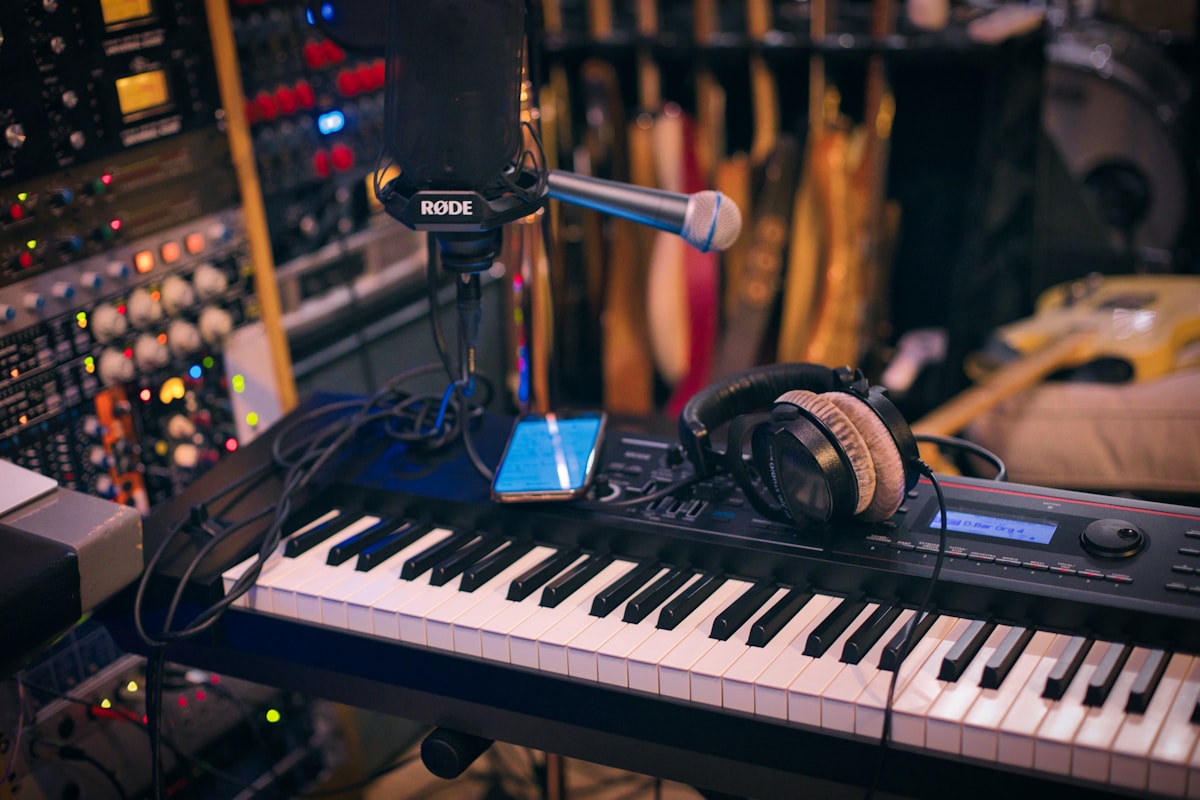
I still remember watching a client create an entire EP using nothing but a MacBook Pro, Logic Pro, and a MIDI keyboard in a coffee shop. Fifteen years ago, this would have required thousands of dollars of hardware and a room full of racks. Today, professional music production happens increasingly on laptops—and MacBook Pro sits at the center of this revolution. The combination of Apple silicon's processing power, macOS's rock-solid audio architecture, and professional software makes mobile music production genuinely viable.
Whether you're starting in music production or switching from Windows, setting up a capable Mac-based studio requires understanding a few key concepts. Let me walk you through everything I've learned from years of helping musicians build their desktop and mobile production setups.
The Mac as a Music Production Platform
Mac has been the dominant platform for professional audio for decades, and Apple silicon has only strengthened this position. Core Audio—macOS's audio framework—provides rock-solid, low-latency audio processing that Windows still struggles to match consistently. Combined with Apple silicon's efficient architecture, Macs deliver more tracks, plugins, and processing power per dollar than comparable Windows setups.
Why Mac Excels for Audio
Several factors make Mac the preferred choice for music production. Core Audio's integration with hardware (via Audio Units plugins) provides reliable, consistent performance. The Unix-based macOS foundation handles background tasks predictably without causing audio glitches. Apple silicon's unified memory architecture eliminates the latency that discrete GPUs introduce in audio processing. And Logic Pro—Apple's professional DAW—offers extraordinary value with a one-time purchase versus subscriptions.
Minimum Mac Requirements for Music Production
For basic music production (recording vocals, MIDI programming, mixing), base M3 MacBook Air handles most tasks. For serious work with large sessions, multiple plugins, and extensive recording, M3 Pro with 18GB+ unified memory provides headroom. Professional composers working with orchestral libraries and film scoring should consider M3 Max for the additional memory bandwidth and GPU performance.
Storage matters significantly for audio work. Sample libraries, virtual instruments, and project files consume massive space. 512GB minimum for serious work, 1TB or more if you collect extensive sample libraries. Consider fast external NVMe storage for additional library storage while keeping active projects on internal SSD for lowest latency.
Digital Audio Workstation (DAW) Selection
The DAW is the foundation of your production software. Each has strengths, weaknesses, and particular workflows. Choosing the right one shapes how you produce music.
Logic Pro: The Mac-Native Choice
Logic Pro represents the best integration between Mac hardware and production software. At $199 one-time purchase, it includes an extraordinary range of instruments (Drum Machine Designer, Alchemy synthesizer, Retro Synth), effects (Space Designer convolution reverb, ChromaGlow, backing track players), and mastering tools (Limiter, Compressor, multi-metering). For the price, nothing matches Logic's breadth.
Logic Pro excels for songwriters, producers working in pop/rock/electronic genres, and composers needing high-quality virtual instruments. Its drag-and-drop workflow accelerates arrangement. The mixing environment provides professional tools without the complexity of some competitors. For Mac users, Logic Pro should be the starting point unless you have specific reasons to choose otherwise.
Ableton Live: The Performance and Electronic Production Standard
Ableton Live's Session View revolutionized electronic music production and live performance. Its Session View provides a non-linear workflow perfect for looping ideas, improvisation, and live performance scenarios that linear DAWs handle poorly. Live's instrument and effect roster emphasizes electronic sound design—Wavetable, Operator, and Effect racks provide tools purpose-built for electronic music.
Ableton comes in three tiers: Intro ($99), Standard ($449), and Suite ($749). Suite includes everything, while Standard omits some instruments and maxes out at 128 audio tracks versus unlimited in Suite. For electronic producers and live performers, Ableton Suite's Session View alone justifies the investment over other DAWs.
Pro Tools: The Industry Standard for Professional Recording
Pro Tools dominates professional recording studios, broadcast, and post-production for film and television. Its HDX hardware integration provides the lowest latency and highest track counts for professional sessions. If you intend to work in commercial studios or collaborate with other engineers, Pro Tools proficiency is essentially mandatory.
The trade-off: Pro Tools requires expensive annual subscriptions ($299/year for subscription or $1,799 perpetual + $299/year updates) and proprietary or Avid-qualified hardware for full functionality. Its workflow, while professional, involves more setup than alternatives for writing and producing. Pro Tools is the right choice for recording and mixing professionals; songwriters and producers might find alternatives more inspiring.
Other DAWs Worth Considering
Presonus Studio One (Professional $299) offers a clean, intuitive interface with excellent recording capabilities. Steinberg Cubase ($99-579 depending on tier) provides professional tools with a long history in composition and scoring. Reaper ($60 commercial license) delivers extraordinary value with professional features at a fraction of competitors' pricing, though its customizability requires more setup.
Audio Interfaces: Connecting the Physical World
An audio interface converts analog audio signals (microphones, instruments) to digital data your Mac processes, then converts digital audio back to analog for monitoring. The built-in headphone jack on MacBook Pro works for basic monitoring, but recording requires an interface for proper preamps, XLR inputs, and zero-latency monitoring.

Key Interface Specifications
Input count determines how many simultaneous recordings you can capture. Two inputs (one mic, one instrument or line) handles most singer-songwriter scenarios. Four to eight inputs accommodate small bands and multi-mic drum recording. Preamps quality varies significantly—clean preamps with adequate gain (60+dB) and low noise floor are essential for professional recordings.
Sample rate (44.1kHz standard CD quality, 48kHz video standard, 96kHz+ for high-resolution) and bit depth (24-bit standard) affect recording quality. All modern interfaces support at least 48kHz/24-bit; professional work often uses 96kHz or higher for editing flexibility before bouncing to delivery format.
Recommended Interfaces by Budget
Focusrite Scarlett 2i2 ($170) provides excellent entry point with two solid preamps, direct monitoring, and USB-C connectivity. Universal Audio Volt 2 ($179) includes vintage-style compression on inputs for more polished recordings. PreSonus Eris 3.5 ($99) offers studio monitor quality in a compact form factor for mixing.
Stepping up, the Apollo Twin X ($499+) offers Universal Audio's legendary preamps and includes UAD processing for real-time plugin processing with near-zero latency. RME Babyface Pro ($1,100) provides uncompromising audio quality with exceptional driver stability—the professional choice for demanding applications.
Monitoring: Hearing Your Mix
Accurate monitoring reveals problems in your mix that headphones or consumer speakers hide. Studio monitors (self-powered speakers designed for accuracy) help you make mixing decisions that translate across playback systems.
Studio Headphones
Every producer needs quality headphones. Closed-back headphones (Audio-Technica ATH-M50x, Beyerdynamic DT 770 Pro) prevent sound leaking into microphone recordings and work well in untreated rooms. Open-back headphones (Sennheiser HD 650, AKG K712 Pro) provide more natural sound for critical mixing but leak sound both directions.
I recommend both types: closed-back for recording and initial mixing, open-back for detailed mixing and mastering work. The ATH-M50x remains the industry workhorse due to durability, accurate sound, and reasonable price.
Studio Monitors
For serious mixing, studio monitors reveal frequency balance issues that headphones mask. The Presonus Eris E3.5 provides entry-point accuracy suitable for small rooms. JBL 306P MKII or Kali Audio LP-6 offer significant upgrade at reasonable prices. Yamaha HS5 remains popular despite aging design.
Room treatment matters more than monitor quality for most small studios. Bass traps in corners and acoustic panels at reflection points do more for accurate monitoring than expensive speakers in untreated rooms.
VST and AU Plugins
Plugins extend your DAW's capabilities with virtual instruments, effects, and processing. Mac supports two plugin formats: Audio Units (AU, native to macOS) and VST/VST3 (cross-platform). Most modern plugins ship in both formats.
Essential Plugin Categories
Every producer needs a quality compressor (Waves SSL compressors, FabFilter Pro-C 2), equalizer (FabFilter Pro-Q 3, Logic's built-in Channel EQ), and reverb (Valhalla Hall, Audio Ease Altiverb). For mixing, limits and mastering plugins (iZotope Ozone, T-Racks) provide finishing polish.
Virtual instruments range from synthesizers (Arturia Pigments, Serum) to samplers (Kontakt, EXS24) to drum machines (Superior Drummer, Addictive Drums). Your DAW likely includes excellent built-in options—learn them thoroughly before buying third-party plugins.
Optimizing Mac for Audio Performance
Audio-Specific Settings
In System Settings > Audio, ensure your interface is selected as the default device. Disable Bluetooth audio if using wired monitoring to avoid wireless interference. Set buffer size in your DAW (lower = less latency but more CPU usage, higher = more stability but more latency—256-512 samples provides reasonable balance).
Background Processes
Close non-essential applications during recording sessions. Cloud sync services (Dropbox, Google Drive) can cause audio glitches when they access the disk during critical recording moments. Disable notification sounds, screen savers, and other system behaviors that might interrupt audio processing.
Building Your First Mac-Based Studio
Start with a capable MacBook Pro (M3 Pro, 18GB+ memory, 1TB storage), a Focusrite Scarlett 2i2, Audio-Technica ATH-M50x headphones, and Logic Pro. This setup handles recording, mixing, and production for most genres. Add studio monitors as your mixing skills develop and room acoustics improve.
The beauty of Mac-based production: you can start with modest gear and add capabilities as your needs and budget allow. Unlike hardware studios requiring specific equipment configurations, software-based production scales from bedroom to professional studio without replacing your core computer.